
Free Diagnostics
Expert device evaluation at zero cost—know the issue before you commit.
Low Price Guarantee
Shop with confidence knowing you’re getting the best possible price.
Same-day Service
Drop it off today, pick it up today—it's that simple.
3-months parts warranty
Dedicated support and protection for your device, guaranteed for one full year.
Pro Solutions for Your Daily Laptop Needs
Limited Warranty
If a laptop part we installed or the repair isn’t performing as it should, Leo Electronics will make it right at no cost.
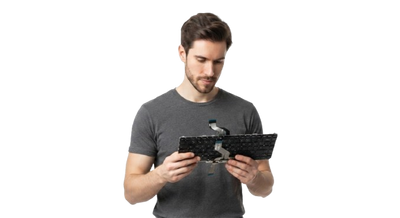
Advanced Component-Level Repair
From everyday student notebooks to high-performance gaming laptops and MacBooks, Leo Electronics fixes them all with precision and care.

Fast Turnaround Times
We offer quick and efficient laptop repair solutions for common hardware and software issues, helping you get back to your work faster.

Certified Laptop Experts
Our skilled technicians combine proven diagnostic methods with meticulous attention to detail, ensuring your laptop's performance is fully restored.

Precision Component-Level Motherboard Repair
We don't just swap parts blindly. Using advanced microscopic inspection and circuit schematics, we pinpoint exact shorts and blown ICs to save your motherboard.
- Micro-soldering: Precise repair for power management ICs and damaged ports.
- Circuit Trace Repair: Restoring broken micro-traces under microscope magnification.
- Short-Circuit Elimination: Isolating and replacing faulty capacitors causing dead motherboards.
- Post-Repair Stress Testing: Verifying voltage stability and sustained performance under load.

What We Do Best:
Screen repairs for cracked, broken, or flickering laptop displays.
Battery replacements and charging port fixes to keep your laptop running on the go
Hardware upgrades, including RAM and SSD installation, for much faster laptop performance.
Deep virus and malware removal to clean up your system and protect your files.
Responsive keyboard replacements and trackpad repairs for seamless navigation.
Troubleshooting and fixing connectivity issues, including unstable Wi-Fi and Bluetooth drops.
Laptop Safety & Longevity Guide
Avoid these 6 common destructive habits to protect your hardware, extend battery lifespan, and prevent costly motherboard failures.
Blocking Ventilation & Airflow
Using a laptop on soft surfaces like beds, sofas, or pillows blocks intake vents and traps heat.
Consuming Liquids Near the Keyboard
Water, coffee, or soda spills cause instant short circuits on the keyboard matrix and motherboard.
Ignoring Dust Buildup & Thermal Paste
Accumulated dust stops cooling fans completely, while old thermal paste causes CPU overheating.
Leaving Batteries at 100% Plugged In 24/7
Keeping your charger connected constantly accelerates chemical degradation and battery swelling.
Rough Handling of Ports and Cords
Yanking power cables or inserting plugs at an angle loosens soldered ports directly from the PCB.
Closing Lid with Objects on Keyboard
Leaving small items like earbuds or flash drives on the palm rest puts pressure on the LCD panel.
Frequently Asked Questions
Everything you need to know about our laptop repair services, diagnostics, hardware upgrades, and warranty coverage.
What should I do if my laptop gets liquid damaged?
Power it off immediately, unplug the charger and accessories, remove the battery if possible, do not turn it back on, and bring it to our service center right away for professional cleaning.
How long does a typical laptop repair take?
Most software troubleshooting, virus cleanups, RAM/SSD upgrades, and screen replacements take about 1 to 3 hours. Complex motherboard repairs may take 24 to 48 hours.
Do you charge for diagnosis if I decline the repair?
No. We follow a strict No-Fix, No-Fee policy. You only pay when we successfully diagnose and repair your laptop.
Can you upgrade the RAM and storage of my older laptop?
Yes! We specialize in hardware upgrades, allowing us to swap traditional hard drives for fast SSDs and expand RAM to significantly boost your laptop's speed.
Leo Electronics
1770 Albion Rd #45
Etobicoke, ON M9V 1C2, Canada
Mon–Fri: 10:00 AM – 06:30 PM
Sat-Sun: 10:00 AM - 06:00 PM
(416) 748-3636
info@leoelectronics.ca
Get Your Device Fixed Today
Fast, reliable repairs by certified technicians. We'll get back to you within 24 hours.
